
facebook video downloader
Download Facebook Reels, Stories & Videos in HD MP4


Facebook Video Downloader – Download Facebook Videos, Reels & Photos Online Free
Free Facebook Video Downloader
Facebook has become one of the world’s most popular platforms for sharing videos, Reels, live streams, photos, and memorable moments. Millions of users watch entertaining clips, educational tutorials, sports highlights, and creative content every day. However, Facebook does not always provide a convenient way to save videos directly to your device for offline viewing.
A Facebook Video Downloader offers a simple solution for users who want to download Facebook videos, save Facebook Reels, or keep favorite photos for personal access later. Whether you’re looking to watch content while traveling, reduce mobile data usage, or create a personal collection of videos, an online downloader can make the process fast and user-friendly.
Our free Facebook Video Downloader is designed to work directly in your web browser without requiring software installation, account registration, or complicated setup. Simply copy the Facebook video link, paste it into the downloader box, and click the Download button to begin processing the content.
Compatible with desktops, laptops, tablets, and smartphones, the downloader supports major browsers such as Chrome, Firefox, Safari, Edge, and Opera, giving users a seamless experience across multiple devices.
What kinds of Facebook videos can you download?
The works with us most publicly available Facebook video content. Here’s what typically works:
- Facebook Videos— regular videos posted on personal profiles and pages
- Facebook Reels— short-form vertical videos, similar to other short video formats
- Facebook Watch— videos published through the Watch tab
Live videos that are still broadcasting may not be available for download. Once a live stream ends and Facebook processes the recording, it typically becomes downloadable.
Downloading Facebook videos on iPhone and Android
instatiktoksnap.com works in mobile browsers. The process is the same — copy the link from Facebook, paste it here, and tap Download.
On iPhone (iOS): After tapping Download, Safari will ask what to do with the file. Choose Download Linked File. The video will appear in Safari’s downloads (the arrow icon in the toolbar) and in your Files app. To move it to your Photos app, open the file in Files and tap the share icon, then Save Video.
On Android: The file will download through Chrome or your default browser and appear in your Downloads folder. From there you can move it to your gallery or play it directly. Best Facebook Video Downloader App Link in Above. You can Click the Button and Get Official Website to Download Facebook Video.
Some browsers handle downloads differently. If your browser opens the video instead of downloading it, tap and hold the video, then choose Save video or Download video.
Features
We are offers a complete solution for saving all types of Facebook content. Download videos, reels, photos, and stories in high quality, completely free and easy to use on any device.
Stories Downloader
Facebook Stories are designed to disappear after 24 hours, making it easy to miss memorable photos, videos, creator updates, and important shared moments. A Facebook Stories Downloader gives users a quick and convenient way to save Facebook Stories in their original quality before they expire. Whether you want to preserve travel memories, inspirational content, educational clips, or favorite creator stories, our Facebook Story Saver helps you download stories instantly without installing software or creating an account. Simply copy the story link, paste it into the downloader, and save Facebook Stories in HD within seconds.
Video Downloader
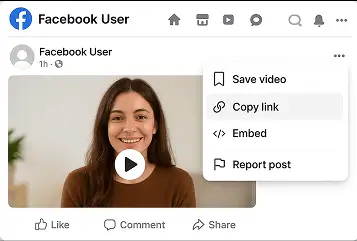
Facebook is home to millions of videos, tutorials, live streams, and memorable moments that users may want to save for later. Our Facebook Video Downloader lets you download Facebook videos in HD MP4 quality with just one click. Simply copy and paste the video URL to save videos instantly without installing software, creating an account, or paying fees. Compatible with Windows, Mac, Android, iPhone, and all modern browsers, it provides a fast, secure, and convenient way to enjoy Facebook videos offline anytime, anywhere.
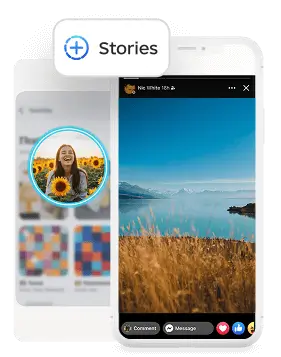
Photo Downloader
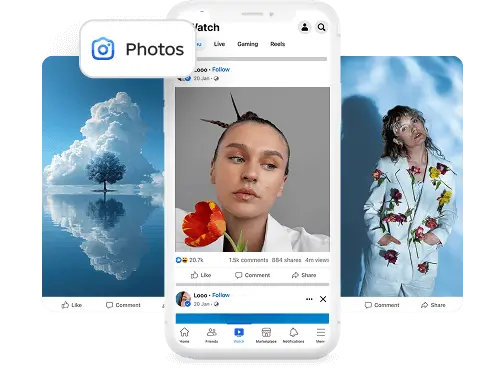
Facebook is home to countless memorable photos, profile pictures, albums, and shared images that users may want to save for later. Our Facebook Photo Downloader lets you download Facebook photos in their original quality without compression or quality loss. Simply copy and paste the photo URL to instantly save high-resolution images, including profile pictures, album photos, and post images. No software installation, registration, or subscription is required. Compatible with Windows, Mac, Android, iPhone, and all modern browsers, it provides a fast, secure, and convenient way to keep your favorite Facebook photos accessible anytime.
Reels Downloader
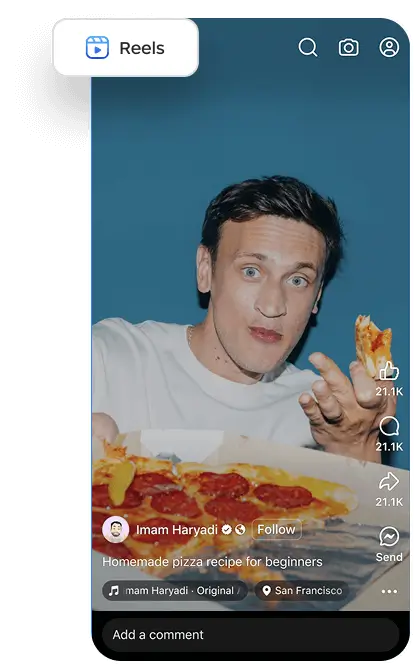
Facebook Reels feature entertaining clips, tutorials, and trending short videos that users often want to save for offline viewing. Our Facebook Reels Downloader allows you to download Facebook Reels in HD quality and MP4 format with just one click. Simply copy and paste the Reel URL to instantly save videos without installing software, creating an account, or paying fees. Compatible with Windows, Mac, Android, iPhone, and all modern browsers, the tool delivers fast, secure downloads while preserving the original video quality, making it easy to enjoy your favorite Facebook Reels anytime and anywhere.
Why Use a Facebook Video Downloader?
Facebook users frequently search for ways to save videos they enjoy. Whether it’s a cooking tutorial, workout guide, travel vlog, educational presentation, or funny clip shared by friends, having offline access provides greater flexibility and convenience.
Using a Facebook Video Downloader offers several benefits:
- Download Facebook videos for offline viewing.
- Save Facebook Reels to watch later.
- Keep memorable moments stored on your device.
- Access content while traveling or using limited internet connections.
- Enjoy videos without buffering interruptions.
- Preserve educational and inspirational videos for future reference.
Many people search for phrases such as How to Download Facebook Video, How to Save Facebook Video, Download Video Facebook, or Facebook Video Downloader Link because they want a quick and straightforward method that works without technical knowledge. A browser-based downloader simplifies the process and helps users access content in just a few clicks.
Download Facebook Videos in High Quality
Video quality plays an important role in the viewing experience. A reliable Facebook Video Download tool helps users preserve the best available resolution whenever supported by the source.
Depending on the original upload, videos may be available in:
- Standard Definition (SD)
- High Definition (HD 720p)
- Full HD (1080p)
- Original Resolution (when available)
High-quality downloads are particularly useful for watching videos on larger screens, including laptops, smart TVs, and tablets. Clear visuals and smooth playback enhance the experience and make it easier to enjoy content without relying on an active internet connection.
Whether you’re interested in saving a Facebook Reel, a public video post, or a favorite clip shared by a creator, a user-friendly downloader provides a convenient way to access content anytime and anywhere.
Fast, Simple, and User-Friendly Experience
Modern users expect tools that are easy to use and accessible from any device. A well-designed Facebook Video Downloader should provide a clean interface, fast processing speeds, and compatibility with both desktop and mobile platforms.
The process is straightforward:
- Copy the Facebook video URL.
- Paste the link into the downloader field.
- Click the Download button.
- Save the video to your device.
No advanced technical skills are required, making the downloader suitable for students, professionals, travelers, and anyone who wants quick access to their favorite Facebook content.
Works on All Major Browsers
One of the key advantages of an online downloader is cross-browser compatibility. Users can access the service from nearly any modern browser, including:
- Google Chrome
- Mozilla Firefox
- Microsoft Edge
- Safari
- Opera
- Chromium-based browsers
Because everything runs directly in the browser, there is no need to install additional software or applications. This approach provides flexibility and convenience for users who switch between devices or operating systems.
A Convenient Way to Save Facebook Content
Facebook continues to evolve as a platform for sharing videos, short-form content, photos, and creative ideas. Downloading publicly available content for personal use allows users to revisit favorite moments, learn from educational videos, and enjoy entertainment without depending on an internet connection.
Whether you’re looking for a Facebook Video Downloader, a solution to save Facebook Reels, or an easy method to download Facebook photos, browser-based tools provide a practical and accessible experience for users around the world.
Facebook Reels Downloader
Facebook Reels have quickly become one of the most engaging content formats on social media. Similar to short-form videos found on other platforms, Reels allow creators, influencers, businesses, and everyday users to share entertaining, educational, and trending content in an easy-to-consume format.
Many users prefer to save Facebook Reels for offline viewing, inspiration, or future reference. A Facebook Reels Downloader provides a simple and convenient way to download Reels videos directly to your device without installing additional software.
Whether you want to keep your favorite cooking recipes, workout tutorials, travel guides, DIY projects, or funny clips, downloading Facebook Reels allows you to access them anytime, even without an internet connection. Simply copy the Reel link, paste it into the Facebook Video Downloader, and process the content in just a few seconds.
Downloading Facebook Reels can be especially useful for content creators, marketers, students, and professionals who frequently revisit valuable information or creative ideas.
Facebook Photo Download
Photos remain one of the most widely shared content formats on Facebook. From family memories and vacation albums to infographics and business promotions, users often look for an easy way to save images for personal use.
A Facebook Photo Download tool enables users to save publicly accessible Facebook images quickly and efficiently. Whether it’s a single image or multiple photos from an album, downloading high-quality Facebook photos helps users preserve important moments and access them later without relying on an internet connection.
People commonly search for phrases such as:
- Facebook Photo Download
- Download Facebook Photos
- Save Facebook Images
- Facebook Album Downloader
An online Facebook downloader simplifies this process by allowing users to paste a Facebook photo link into the downloader and save images directly to their smartphone, tablet, or computer.
How to Download Facebook Video
Downloading videos from Facebook is straightforward and does not require technical knowledge. Most users can complete the process within a few simple steps.
Step 1: Copy the Facebook Video Link
Open Facebook and locate the video, Reel, or photo you wish to save.
Click on the Share button and select Copy Link to copy the Facebook video URL.
Step 2: Paste the URL
Visit the Facebook Video Downloader page.
Paste the copied Facebook link into the input field provided.
Ensure the URL is complete before proceeding to the next step.
Step 3: Click Download
Press the Download button.
The downloader will process the video and retrieve available formats.
Depending on the original upload, users may have access to multiple quality options.
Step 4: Save the Video
Choose your preferred quality and save the file to your device.
Once downloaded, videos can be watched offline anytime without buffering, interruptions, or relying on a stable internet connection.
Download Facebook Videos on Any Device
One of the major benefits of an online Facebook Video Downloader is compatibility with a wide range of devices and operating systems. https://www.instatiktoksnap.com
Windows PC
Users can download Facebook videos using Chrome, Edge, Firefox, Opera, or any Chromium-based browser on Windows desktops and laptops.
MacOS
Mac users can easily save Facebook videos using Safari, Chrome, or Firefox without installing extensions or additional software.
Android Smartphones
Android users can access the downloader directly through their mobile browser and download videos, Facebook Reels, and photos quickly.
iPhone and iPad
iPhone and iPad users can use Safari or other supported browsers to download publicly accessible Facebook content and save it to their devices.
Linux
Linux users can also enjoy a seamless downloading experience through compatible browsers such as Chrome, Firefox, and Opera.
Key Features of Facebook Video Downloader
A reliable Facebook Video Downloader should offer several important features:
✔ Download Facebook Videos online without software installation.
✔ Save Facebook Reels for offline viewing.
✔ Facebook Photo Download support.
✔ User-friendly interface suitable for beginners.
✔ Compatible with Windows, Mac, Android, iPhone, and Linux.
✔ Works with Chrome, Safari, Firefox, Edge, and Opera.
✔ Fast processing and easy-to-use design.
These features help users enjoy a smooth downloading experience while accessing their favorite Facebook content whenever they need it.
Is Facebook Video Downloader Safe to Use?
Safety and privacy are important considerations when using any online tool. A trusted Facebook Video Downloader should provide a secure browsing experience and should not require users to install unknown software, create accounts, or provide sensitive personal information.
Most browser-based downloaders process publicly available content directly through their servers and do not permanently store users’ download history. Users should always ensure they comply with Facebook’s Terms of Service, privacy settings, and applicable copyright laws when downloading and using content.
For the best experience, users are encouraged to download videos, Reels, and photos only for personal use and to respect the intellectual property rights of creators and publishers.
Why Millions of Users Save Facebook Videos
Facebook remains one of the largest social networking platforms, with billions of videos watched daily. People frequently save videos for various reasons, including:
- Watching content during travel.
- Saving educational tutorials.
- Building personal video collections.
- Accessing videos in areas with limited internet connectivity.
- Keeping memorable moments for future viewing.
Whether you are looking for a Facebook Video Download, Download Facebook Video, or simply want to save Facebook videos, online downloaders provide a convenient solution for accessing content whenever needed.
Frequently Asked Questions
A Facebook Video Downloader is an online tool that allows users to access and save publicly available Facebook videos, Reels, and photos for personal offline viewing.
Yes. Most Facebook Video Downloader tools are completely free to use and do not require registration or software installation.
Simply copy the Facebook video link, paste it into the downloader field, and click the Download button. The tool will process the video and provide available download options.
Open Facebook, copy the video URL, visit the downloader page using your mobile browser, paste the link, and download the video directly to your device.
Yes. A Facebook Reels Downloader helps users save Reels videos for offline viewing and future reference.
Yes. A Facebook Photo Download tool allows users to save publicly accessible photos and albums in high quality.
No. Browser-based Facebook downloaders work online and do not require additional software, plugins, or applications.
No. Most online Facebook downloaders can be used instantly without creating an account.
Facebook Video Download tools generally work with:
- Google Chrome
- Mozilla Firefox
- Microsoft Edge
- Safari
- Opera
- Chromium-based browsers
Yes. Android users can download Facebook videos using Chrome or other compatible browsers.
Yes. iPhone and iPad users can access the downloader through Safari and save videos to their devices.
Users are responsible for ensuring they have the necessary rights or permissions to download and use content. Downloaded videos should generally be used for personal, non-commercial purposes and in accordance with applicable laws.
Some videos may have privacy restrictions, regional limitations, or permissions that prevent downloading.
Depending on the original upload, videos may be available in SD, HD 720p, Full HD 1080p, or the highest resolution provided by the source.